
Revert to Ubuntu Classic
http://askubuntu.com/questions/58172/how-to-revert-to-gnome-classic
Install
- Gnome Shell
- Gnome Tweak Tool
Change the theme to Adwaita...
It will look ugly, well we will try gnome 3 theme
Use WebUpd8 PPA - we will find a lot of gnome3 shell extension here
https://launchpad.net/~webupd8team/+archive/gnome3
$ sudo add-apt-repository ppa:webupd8team/gnome3
Use new theme;
my number one :)
Adwaita Cupertino

http://gnome-look.org/content/show.php/?content=147061
This is just GTK theme, there's no gnome-shell theme. so use gnome-shell theme from below source.
This Zukitwo Cupertino
This will fullfill the beauty of the Adwaita Cupertino (additional Gnome Shell theme)
http://gnome-look.org/content/show.php?content=149412
Drafire Caffe GTK 3 theme
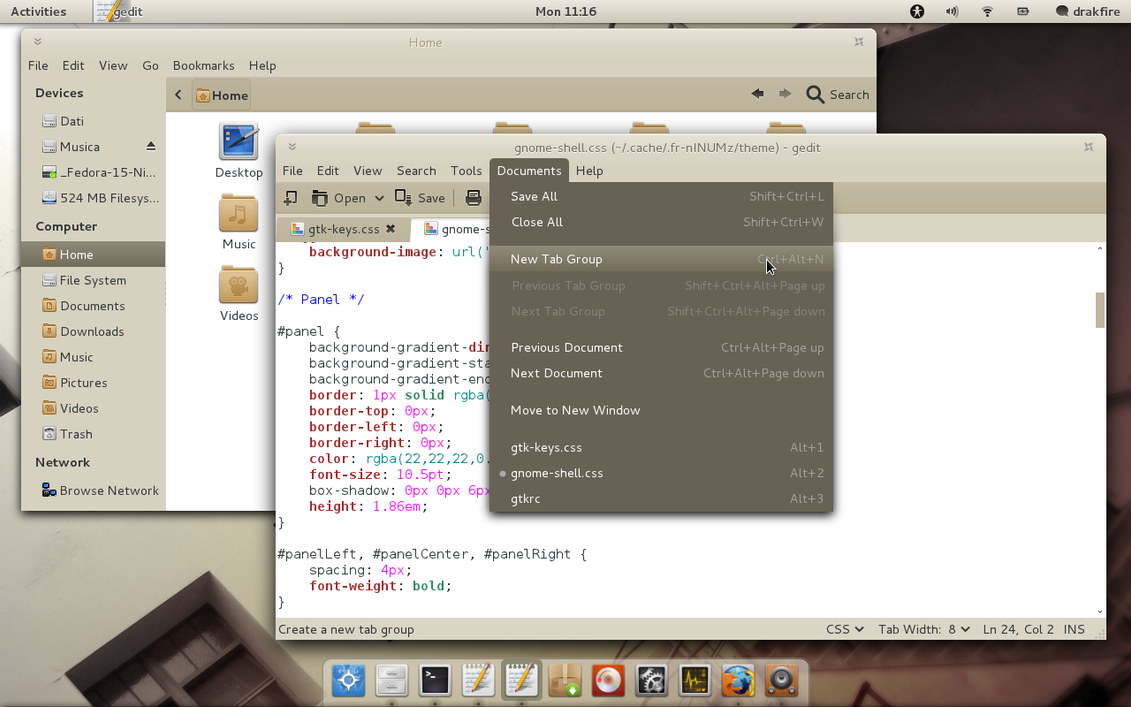
Use new icon; Faenza Icons

http://tiheum.deviantart.com/art/Faenza-Icons-173323228
Plus Icon in blue color more feels like OSX
Faenza cupertino
http://gnome-look.org/content/show.php/Faenza-Cupertino?content=129008.
This is require base Faenza package.